| Fractals | |
Download JFrac 1.0 here. |
|
|
UPDATE: January 9, 2003. JFrac is now released as version 1.0. In addition, since I've finally figured out all of the stuff for adding the GPL to the code, the source code is also available (but please don't grade me too harshly on it). JFrac itself is avaliable here and its source code is available through this link. I've removed the older versions of the jars and disabled the links through the page below, since the old versions really weren't necessary or all that terribly functional. JFrac 1.0 has quite a number of features fixed, added, and updated relative to the last release. Saving of fractal files now remembers the plugin in use, the zoom location, and the colormap. Furthermore, you can also export and import colormap data independently of the fractal, so you can try cool-looking colormaps on various different fractals. Plugins are also supported, so you can try generating functions different than the standard Mandlebrot. I've also added bitmap image export support, so you can export your image as either a bitmap or a ppm. Control point indexes are also shown differently as you add them, so it's a little bit easier to manipulate those as you add/move them about. Oh, and the move buttons also work now (the plus and minus ones on the control points). While I'm sure there are still bugs (please email me if you find any), this release is really a huge step better from the previous one, and should be more or less completely usable. There's an introduction, by the way, if you look at the Help menu after starting JFrac. I'm afraid it doesn't have any pictures, but it at least explains the majority of the stuff you are able to do, and how/why you do it. |
|
|
UPDATE: December 6, 2002. There's a new version of JFrac available, which can be downloaded through this link. Instructions are roughly as before in terms of installation and running. The big new thing in this version is colormap viewing and manipulation support. You can now change the colors!!! Briefly, click somewhere in the colormap, and a blue line will appear. In the list of control points to the right, a new entry will appear for that colormap index. Click on the color button for that to change the color, and the colormap will be updated with an auto-gradient to that color from both of the surrounding control points. Then, you can re-render your fractal to see the change! |
|
|
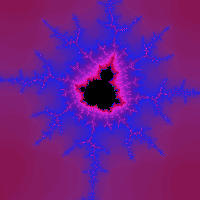
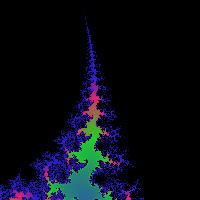
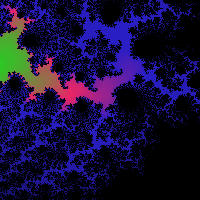
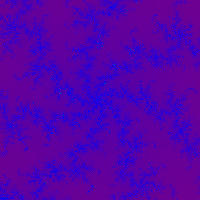
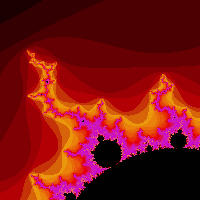
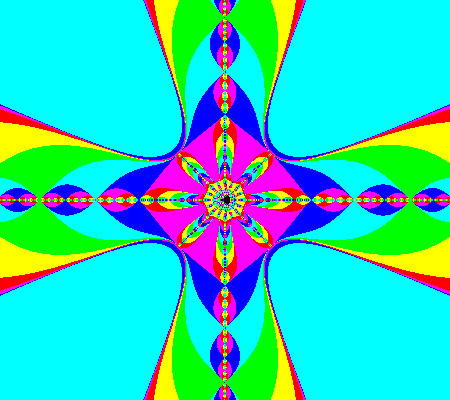
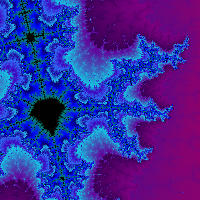
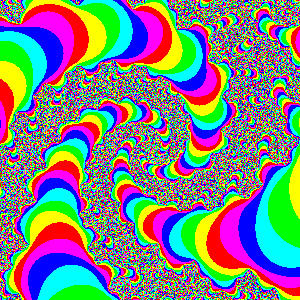
Fractals are mathematical, scientific, and (at least some claim), artistic. This is a small collection of some of the fractal related material that I have created. The programs which generate the images and the frames for the movies shown here are my own creation; the current version of the program (a java jar file) can be downloaded by from this link. If you have Java installed, all you need to do to run the program is double-click on the downloaded file; it should pop up the fractal window, and you can go from there. As a note, you may need to right-click on the link in order to download; some of my attempts on regular clicking have resulted in a web-page full of garbage. In order to run this program, you'll need to have the Java runtime environment installed. You can find that by going to Sun's Java Page, clicking on the button that says Standard Edition J2SE in the upper middle of the page, clicking on J2SE Downloads in the upper middle of the page, clicking on J2SE 1.4.0, and then clicking on the Windows US English JRE download, which is the one at the top of the list; click where it says download. You'll have to click the Accept button at the bottom of the resulting page, and then click on the link that says to download j2re-1 4 0 something something something. After you finish downloading the file, double-click on it to install java. Feel free to use these images if you would like. If you link them on a web site, or use them in some other public form, I would appreciate being credited; otherwise, you're free to do whatever you want with them. As an additional side note, the images here are not quite as high of quality as I would like. The conversion into JPEG format clobbered some of the nice bits of the colors that you could see on the original images. At some later time I'll try to place either PNGs or GIFs here instead of JPEGs; they ought to show up much more clearly. |
|
|
|
|
|
|
|
|
|
|
|