
Original |
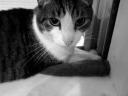
Grey |
Image* greyImage(Image* theImage);Converts theImage from color to grey scale. The luminance of the color pixel (r,g,b) is 0.3 * r + 0.59 * g + 0.11 * b.
|
Original |
Grey |
void extractImageChannel(Image* theImage);Extract a channel, as specified by the user, of theImage. Leaves the specified channel intact. Sets all other to zero.
|
Original |
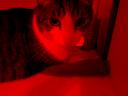
Red |
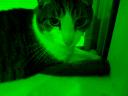
Green |
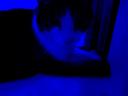
Blue |
void brightenImage(Image* theImage);Changes the brightness of theImage by interpolating between a black image (factor = 0.0) and the original image (factor = 1.0). Interpolation darkens the image, and extrapolation brightens it. See Graphica Obscura.
0.0 |
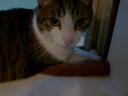
0.5 |

1.0 |

1.5 |

2.0 |
void negativeImage(Image* theImage);Convert to "negative" by subtracting theImage from the all white image.

Original |
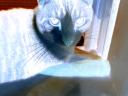
"Negative" |
void contrastImage(Image* theImage);Changes the contrast of theImage by interpolating between a constant grey image (factor = 0) and theImage (factor = 1). The user specifies the factor. The grey value used is the average luminance of theImage. Interpolation reduces contrast, extrapolation boosts contrast, and negative factors generate inverted images. See Graphica Obscura.
-0.5 |

0.0 |
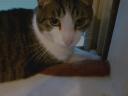
0.5 |

1.0 |

1.7 |
void saturateImage(Image* theImage);Changes the saturation of theImage by interpolating between a grey level version of theImage (factor = 0) and theImage (factor = 1). The user specifies the factor. Interpolation decreases saturation, extrapolation increases it, and negative factors preserve luminance but invert the hue of the input image. See Graphica Obscura.

-1.0 |
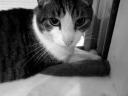
0.0 |
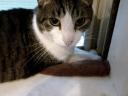
0.5 |

1.0 |

2.5 |
Image* cropImage(Image* theImage);Extract a sub-image from theImage given the coordinates of the lower left and upper right corners of the sub-image. The user specifies the coordinates of the sub-image.

(0,0) (96,128) |

(30,30) (96,96) |
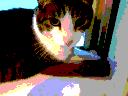
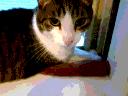
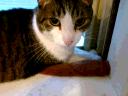
Image* quantizeImage(Image* theImage);Convert theImage to n bits per channel, as specified by the user, using uniform quantization.
The new number of levels per channel is L = 2n. The size of each input interval is a = L' / L, where L' is the old number of levels per channel. Each component c is mapped to floor(c / a). All the pixels within the same input interval are mapped to the same output level. Notice the contours that appear when nbits is low.
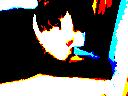
1 |
2 |
3 |
4 |

8 |
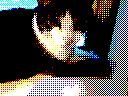
Image* orderedDitherImage(Image* theImage);Converts theImage to nbits bits per channel, as specified by the user, using ordered dithering. It is similar to uniform quantization, but pseudo-random noise is added to each component before quantization. The amount of noise added is determined by a Bayer's pattern matrix. The following examples used the matrix
| Bayer2 | = | 3 | 1 |
| 0 | 2 |
1 |
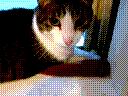
2 |
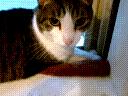
3 |
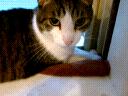
4 |

5 |
Image* fsDither(Image* theImage);Converts theImage to nbits per channel, as specified by the user, using Floyd-Steinberg dither with error diffusion. Each pixel (x,y) is quantized, and the quantization error is computed. Then the error is diffused to the neighboring pixels (x + 1, y), (x - 1, y - 1), (x, y 1 1), and (x + 1, y 1 1) , with weights 7/16, 3/16, 5/16, and 1/16, respectively.
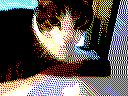
1 |
2 |
3 |
4 |

5 |
void blockBlurImage(Image* theImage);Blurs an image by convolving it with a n x n block filter; i.e. the filter in which each entry is 1/(n*n). The user specifies n, which must be odd.

n=1 |
n=3 |
n=7 |
n=15 |
void triangleBlurImage(Image* theImage);Blurs an image by convolving it with a n x n triangle filter. The (i,j) entry in the triangle filter is tri(i,n) * tri(j,n)/M, where tri(k,n) = min(k,n-1-k)+1 and M is the normalization constant. The user specifies n, which must be odd.

n=1 |
n=3 |
n=7 |
n=15 |
void gaussianBlurImage(Image* theImage);Blurs theImage by convolving it with a n x n gaussian filter. The (i,j) entry in the gaussian filter is

n=1 |
n=3 |
n=7 |
n=15 |
void edgeDetect(Image* theImage);Detect edges in theImage by convolving it with the edge detection kernel:
|
-1
|
-1
|
-1
|
|
-1
|
8
|
-1
|
|
-1
|
-1
|
-1
|

Original |
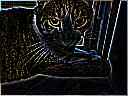
Edges |
Image* scaleImage(theImage);Scales an image in x by sx, and y by sy. The result depends on the sampling method (point, bilinear, or Gaussian), which is chosen by the user. In the example below, the size of the Gaussian filter is 3x3.

Point |

Bilinear |

Gaussian |
void rotateImage(Image* theImage);Rotates theImage by a user specified angle. The result depends on the current sampling method (point, bilinear, or Gaussian), which is chosen by the user. In the example below, the size of the Gaussian filter is 3x3.

Point |

Bilinear |

Gaussian |
void compositeImage(Image* theImage);Composites theImage with a second image using a mask. The user specifies the input files for the second image and mask. .
Original Images
Fun
void Image::Warp(Image* theImage);Warps an image using a creative filter of your choice. The user specifies the sampling method (point, bilinear, or gaussian.)

Original
Point
Bilinear
GaussianMorph
Image** morphImage();Morph two images using [Beier92].

before
after
