Project 4: OpenGL Robot
Due: 60 points by Thursday, March 27, 2003
Due: 100 points by Monday, March 31, 2003
Overview
In this assignment you will implement an OpenGL robot that can be
controlled by the user. This assignment is loads of fun! The
earlier you start the more fun you'll have. Unlike previous assignments,
we are not supplying any skeleton coder.
In this assignment you'll create an OpenGL
aplication entirely from scratch. Look at your OpenGL book, the GLUT
guide, and previous projects for guidance.
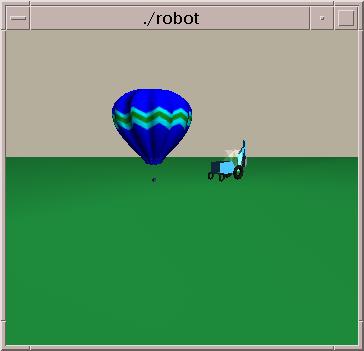
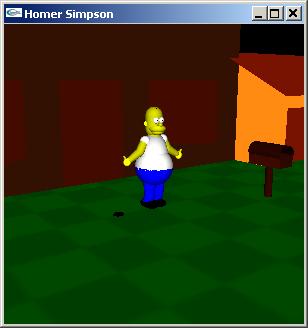
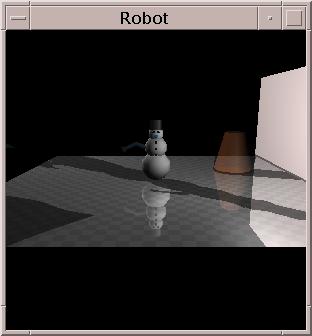
Here are some screen shots of robot worlds created by former students.
What You Have to Do
The assignment is worth 100 points. Following is a list of features
you may implement and their point value. Items listed in
bold are required.
- (10) The robot should have a body, a head, and a right arm. Left
arm and other body parts are optional. Be creative! Initially use
ambient light to light the scene. Use perspective projection.
- (5) The robot's position and orientation should be user controllable via the
keyboard or mouse.
- (5) The right arm should be user controllable via the keyboard
or mouse. In particular, the user must be able to rotate the arm (about at
least one vector) at the shoulder, elbow, and wrist. Use hierarchical
coordinate systems.
- (5) The robot's head must be user controllable via the keyboard
or mouse. The head should be able to rotate left, right, up, and
down.
- (5) Add menus. Initially the menu options should include "Quit,"
"Adjust ambient light," and "Help." When the user selects "Adjust ambient light"
you should query
the user for new ambient values and adjust the ambient light accordingly.
The "Help" option should explain every keyboard and mouse control. (Add to the help menu as you add additional controls.)
- (5) Add lights and diffuse and specular material
properties. There should be (at least) one point light source.
Allow the user to adjust the
intensity and reposition the point light from an "Adjust point light" menu option.
Use a submenu to choose between intensity and position adjustments.
- (5) Add a
spotlight mounted on top of the robot's head. It
should rotate and move with the head. Allow the user to adjust the intensity and cutoff angle of the spotlight through an "Adjust spot light" option.
- (5) The robot should live in a 3D space with a shiny floor and
at least a few 3D objects in it. Make sure to partition the floor into a
number of separate tiles so that specular reflection from the light
sources looks reasonably good.
At least one object should have a metallic appearance.
- (5) Add controls so the
user can zoom in and out, raise and lower the viewpoint,
and rotate the world so it can be viewed from different
perspectives.
- (10) Allow the user to toggle the viewpoint to see the world
from the robot's eyes. As the robot moves or rotates its head, the view
changes.
- (5) Make the robot do a cool robot trick and capture it in an mpeg movie. The trick should be accessible from the menu. (This item can be repeated for additional credit.)
- (5) Add shadows with polygon offset or implement the shadow volume option.
- (10) Add shadows using shadow volumes.
- (5) Add reflections using the stencil buffer to prevent reflection
beyond the floor.
- (5) Add some transparent objects using blending.
- (5) Add something to your world that uses bezier patches or NURBs.
- (5) Add texture mapping.
- (5) Add a mirror (the floor does not count!). (Be sure to consider the
possible viewpoints; i.e. the robot can look in the mirror and see
itself.)
- (5) Use display lists to build the floor and robot.
- (?) Impress us with something we hadn't considered.
By implementing all the required features, you get 70 points. Select options to bring your score to 100.
It is possible to get more than 100 points. However, after 100 points,
each point is divided by 2, and after 120 points, each point is divided by
4.
What to Submit
You should submit:
- the complete source code for your robot,
- a makefile,
- the .mpeg movie of the robot trick(s)
- a writeup.
The writeup should be a HTML document called assignment3.html which may
include other documents or pictures. It should explain how to operate the
robot and enumerate features you've implemented.
Make sure the source code compiles in the graphics machines. If it
doesn't, you will be in a world of hurt.
Remember our standing late policy and collaboration policy.
Notes
- Stay tuned for more notes
Links
Last Update: 7/24/02