You will be asked to fill out a form as shown below (unless the form has changed again).
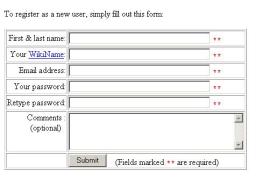
Enter your first name and last name separated by a blank. Your WikiName will be set automatically to FirstNameLastName. DO NOT ATTEMPT TO CHANGE YOUR WIKI NAME! Complete the rest of the form then click submit.
You will receive a Thank You page. Click on OK. You and I will receive email confirmation of your registration.
You'll find a listing of the teams near the top of the page. One person from your team should set up the team wiki page. To do so, click on the question mark after your team name. You'll be taken to a page that looks something like the following.
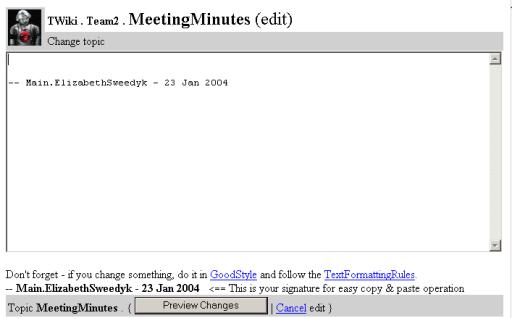
The cursor will appear in the edit window. Move the cursor to a new line and type "Our team's wiki." Then click on the preview button.
You'll see a preview of a new "Teami" page. Click save changes. You will be taken to the new page.
Return to the course wiki page and notice that the team name is now linked to another page and the question mark is gone.
Replace the line "Our team's wiki." with "* ProjectOne".
Now preview the changes by clicking on the preview window at the bottom of the page. You should see ProjectOne? in the new page. Save the results. (Note that during this process you'll have a lock on the page so no one else can edit it!)