Harvey Mudd College
Computer Science 153
Assignment 3
Due Wednesday, October 8, by 11:59pm
Image stitching: 2d visual geometry
Thanks to A. Efros for the inspiration for this assignment
Goals
For this assignment, you will create a composite image mosaic from hand-selected
features in at least two source images. This will ensure that you're comfortable with
image stitching, sometimes called mosaicking, before setting out to build a system that
automatically does such splicing in the next assignment.
Tasks
This assignment is, in part, data-collection and groundwork for your upcoming
auto-stitching application. You may use
either OpenCV or Matlab. Also, you may work on your own or in pairs.
-
Image-gathering For this hw, you should take or find online at least
five images and post them on your write-up webpage. In order to best serve this and the
next assignment, there are a few constraints on the images you take:
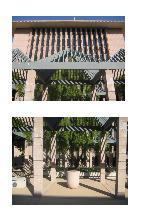
- a predominantly planar image, at an angle One of the images should be of a predominantly planar scene, e.g., with a building facade, ground-plane image, interior
wall, floor, or ceiling, or some other mostly planar subject. Many times we naturally take
such pictures so that the plane being imaged is parallel to the camera's image plane, i.e.,
we "look directly at it." However be sure you avoid this here -- the image's
plane should be facing in a different direction than the camera. (Later, you will warp the
picture to rectify this.)
- four overlapping images from a single point The other four images
may be of any scene, but should have substantial (~30-50%) pairwise overlap. In addition,
they should be taken from the same place -- the camera will rotate from shot to shot, but
you should minimize the camera's translational motion. Because the
ultimate goal will be to auto-stitch these images together, it may help to turn off
autofocus and autoexposure, if that is possible on your camera. If not, you might get very
interesting image mosaics -- this is OK, too! Your four images should be taken from four
points of view that form, roughly, the vertices of a rectangle. That is, two of them should be
"above" the other two. Also, make sure that the four images overlap both horizontally and vertically.
-
You may certainly take more images than these! In particular, extra features
of the ultimate auto-stitching system include building a full panorama, which will require
many more images. Also, you may want to take lots of images and choose the "best" four for
this and the next assignment.
-
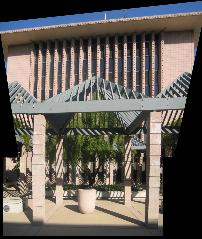
Planar warping of a known quadrilateral
The first image-warping piece of this assignment will use your predominantly planar image.
Choose four corners of the image of square or rectangle, whose image coordinates
will not form a rectangle if the scene was viewed "at an angle" as mentioned above.
Then, create a 3x3 homography H
that maps the pixel coordinates of those corners into a rectangle of appropriate aspect
ratio. Finally, warp the entire image according to that homography H.
You should include the raw image, the 3x3 H, and the resulting "unwarped" image.
Image compositing
In addition, you should create a composite image that warps another image into
a quadrilateral through an appropriate homography so that it "looks right" in
your predominantly planar original. The choice of subject is entirely up to you...
You should use the capabilities built in to OpenCV or Matlab to do this. In OpenCV,
- cvFindHomography will take in correspondences and
produce the 3x3 homography between the two sets of points
- cvWarpPerspective will apply a homography (such as obtained from the above
function) that warps a source image to a destination version.
- Details are available at this reference page
and some source code to use as a starting point is available here.
and in Matlab, you should use the built-in help routine to investigate the functions
- cp2tform, imtransform, tformarray, tformfwd, tforminv, and cpselect.
In particular, cpselect and imtransform will do most of the work here.
-
A two-image, hand-sitched mosaic
From the set of four overlapping images taken from the same point, choose two of the images
and hand-select the pixel-coordinates of four corresponding points between the two images.
Then, create at least two mosaics from the two images:
- One that remaps the second image into the coordinate system of the first -- and on top
of the first.
- One that remaps the first image into the coordinate system of the second -- and on top
of the second.
The key here is creating a function or sequence of functions that places the
images into the same pixel plane, i.e., coordinate system.
-
In your write-up, be sure to include
- The original images -- please scale them down to a reasonable display size, but make
sure that the entire images are available for download.
- The planar homography example, including a visualization of the points chosen, the
estimated 3x3 homography, and the resulting fronto-parallel image.
- The hand-stitched mosaics from the pair of images you chose, along with a
visualization of the corresponding points chosen in each of the two images. The
mosaics are (1) the second image remapped to the first's coordinate system
(cs) and (2)
the first image remapped to the second's cs.
-
Optional extra features: fun with mosaicking!
This week, the extra credit is just that: extra. Assignments will be
graded out of 100 points on the above requirements; you are not required to
implement any additional features.
However, there are lots of great effects you might want to play around with in your
example hand-stitched mosics. Consider combining images using homographies in creative ways. For example,
- Improve the "overlay" combining of image mosaics #1 and #2, above. That
is, use a blending technique that combines the two images to create a smoother result. This may be done in a
coordinate system of your choice: it could be the first image's coordinate system, the
second image's coordinate system, or an intermediate coordinate system to which both images
map.
- Put fake graffiti on buildings or chalk drawings on the ground (taken from
other images)
-
Replace a road sign with a personal portrait
-
Create a mosaic by spatially blending images taken at different times (day vs.
night) or during different seasons -- presumably ones you already have or find
elsewhere!
-
Create a mosaic by spatially blending a historic photograph with a modern picture
of the same place
-
Create an interesting/bizarre mosaic, e.g., one with multiple copies of the
same person.
-
Other ideas welcome :-)
(Thanks, again, to A. Efros for these ideas!)
Demo and write-up
There is no demo required for this assignment.
Be sure to complete your write-up and link it into
the CS
153 wiki by 11:59pm on Tuesday, 10/7.
As you work on this assignment, keep in mind that the homography-creation and
image-warping routines you are using will be subroutines of a larger auto-stitching
system for the next assignment. Consider creating modules/functions that will help you in the future!