CS155 Computer Graphics

Lab 0: JES

The purpose of this tutorial is to introduce you JES, a python environment for image processing.
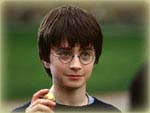
  1. Download the following image to your desktop:


  2. Open JES

  3. At the command line enter:
     
    file=pickAFile()
  4. Navigate to the downloaded file and open.

  5. At the command line enter:
     
    pic=makePicture(file) 
    show(pic) 
    The image should display in a separate window.

  6. At the command line enter:
     
    print pic
    Info on the picture will be displayed including its height and width.

  7. Click on MediaTools in the JES toolbar then select Picture Tool. Say OK to "pic." A new window should open.

  8. Click on Harry. The RGB values for the selected pixel will be shown. Notice that JES uses integers 0-255 to represent color values.

  9. Copy the following program into the editor.
    def shift(pic):
    	for p in getPixels(pic):
    	r=getBlue(p)
    	g=getRed(p)
    	b=getGreen(p)
    	setColor(p,makeColor(r,g,b))
    return
    
    Save the program then load and run it with the command:
     
    shift(pic) 
    (If you get in error it may be that the indentation was reformatted during the copy. Redo the indentation.)

  10. At the command prompt enter:
     
    repaint(pic)
  11. At the command prompt enter
    writePictureTo(pic,pickAFile())
    Navigate to the desktop and save the file as "HarryNew.bmp".


For more information or to download JES go to jes website. Last updated Aug. 09