Computer
Animation, Spring 2012
Keyframe Animation Project
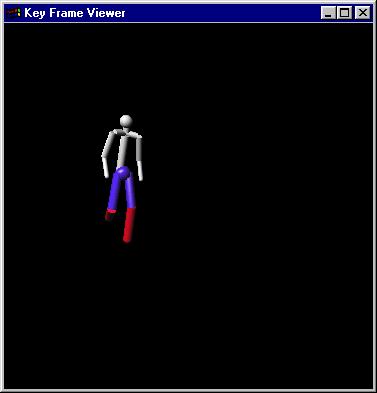
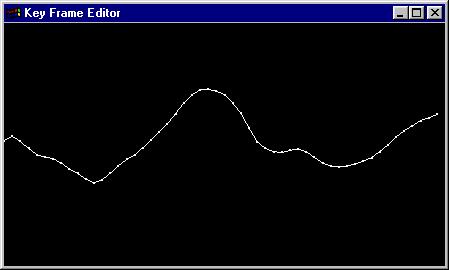
This project is adapted from Assignment 5 in COS426 by
Tom Funkhouser.
The original ideas, code, and data came from Tony DeRose
Overview
In this project you will animate motions for an articulated figure.
You will be given an articulated 3D model and sets of keyframes specifying
the orientations of articulated joints at specific time steps. Your
job is to interpolate the keyframes smoothly over a time interval and display
the articulated figure in an OpenGL window so that it performs animated
actions (e.g., walks, dances, etc.) in real-time. You also will provide
an editor so a user can modify keyframes and create new ones.
What You Have to Do
The following is a list of features that you may
implement. The number in parentheses corresponds to how many points it
is worth. Options in bold are mandatory.
The keyframe editor is a program that allows a user to edit
keyframe parameter values interactively while displaying a smooth curve
interpolating the keyframe values. You should read in a .ray
that specifies an animated scene. You should allow the user to select
any of the keyframe parameters from a pull-down menu and draw a curve through
the keyframe values for that parameter. Ray files may be nested and
you need to allow the user to step through the ray file hierarchy to select
the appropriate parameter set. The user should be allowed to drag
the keyframe values up and down while updating the curve in real-time.
You should allow the user to save the new keyframe values to a new .key
file. An overview of the .ray file sytax can be found here.
An overview of the .key file syntax can be found here.
A parser can be found here.
-
(15) Write a keyframe editor that allows a user to select a parameterized
joint from a .key file using a pull-down menu and displays a piecewise linear
curve through the keyframe values for that joint in an OpenGL window.
-
(5) Augment your program to step through the ray file hierarchy
to locate a nested key file.
-
(5) Augment your keyframe editor with the ability to drag keyframe
values up and down for the selected joint interactively while the curve
is updated in real-time. Provide a key stroke or menu item to save
the edited keyframe values to a new .key file.
-
(5) Modify your keyframe editor to draw the curve for each keyframe
parameter using a piecewise cubic Catmull-Rom spline.
-
(5) Implement the ability to resample your piecewise cubic Catmull-Rom
curves at a specified number of regular intervals and generate a new .key
file with the corresponding resampled value information.
- (5) Build a make movie feature that outputs a sequence of numbered frames that can be composed into a movie.
-
(5) Build a new set of keyframes to animate the stick man juggling
3 balls.
-
(10) Build a new animated model (.ray file).
-
(5) Create a movie of your juggling act.
-
(?) Impress us with something we hadn't considered...
Getting Started
You should use the code available at /cs/cs181a/proj2/src on the graphics
cluster as a starting point for your assignment.
It is very similar to the code used in assignment in the last assignment
(and that used in CS155 for the ray tracing assignment). An overview
of the code can be found here.
Some aspects of the code will not be used until the Part B of the assignment.
What to Submit
You should submit
one archive (zip or tar file) containing:
-
the complete source code
-
a makefile
-
any .ray and .key files you created
-
images of your models
-
any movie you create
-
a writeup
The writeup should be a HTML document called project2a.html which
may include other documents or pictures. It should be brief, describing
what you have implemented, and how you created your models.