Your Turn! (Optional)
You've built a linked list, and the snake is running on it. Now it's your turn to play! This part is open-ended and entirely optional. There are a few bonus points for it, but think of them as permission to have fun rather than a prize to chase: it's really for your own learning and enjoyment. (If you're pressed for time, you can skip it.)
Below is a menu of ideas, roughly from the simplest to the most ambitious. Pick one, or several, or invent your own. Whichever you choose, document it in your README.md file.
Before You Start: Keep the Autograder Happy
Everything on this menu happens in the game code: game.cpp, game.hpp, gameboard.cpp, gameboard.hpp, and snake.cpp. A few rules keep your fun from costing you points:
- Leave
intlist.hpp,intlist.cpp, andintlist-test.cppalone. When the autograder checks your tests, it compilesintlist-test.cppagainst ourIntList(and our deliberately broken ones), so a test of anything that only your list has won't even compile there. - Don't add new files. The autograder counts any file it doesn't expect as an extra file, and that costs points. Put your new code in the files you already have.
- Keep it building cleanly. If you add an
#includeto a file, update its prerequisites in theMakefile, just as you did in Part 4. - If you change your code after you've submitted, submit again before the deadline. We grade your last submission.
Ideas for Further Exploration
Keys of Your Own
The game steers with Q/A/O/P (and the vi keys H/J/K/L). Maybe you'd rather use W/A/S/D, or something else entirely.
The keys are handled in Game::processInput() in game.cpp. But look before you leap: in the classic scheme, A already means down, and in W/A/S/D it means left. You'll have to decide what to do about that. (Drop one scheme? Add a command-line option to choose, in main() in snake.cpp?) Don't forget the instructions the game shows, in Game::run() and Game::updateStatus().
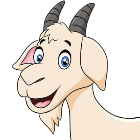
Meh. I just use the arrow keys.
Have you tried that? Press one in the middle of a game.
-
…Huh. Where did my game go?
One thing we don't suggest: arrow keys. An arrow key doesn't send a single character. It sends a short escape sequence that starts with ESC, and ESC is the quit key, which is why Goat's game vanished. Making arrow keys work means hacking on the ncurses side of the display code, and that's a lot more than this part is meant to be, so please stick to ordinary letter keys.
Two-Key Steering
Here's a different way to steer: one key turns the snake to its left, and another turns it to its right, whichever way it happens to be heading.
A quarter-turn swaps a direction's x and y and flips the sign of one of them. Which one, for a left turn? (Remember that on the screen, y grows downward.) One C++ wrinkle: Coord's fields are int16_ts, and arithmetic on them gives you ints, so brace-initializing a Coord from the results won't compile. game.cpp already uses to_int16_t from <cs70/narrowing_cast.hpp> for exactly this.
Pause
Add a key (the space bar, say) that pauses the game until another key is pressed.
The game already knows how to wait for a key: look at what happens to the welcome message at the start of Game::run(), and at how Gameboard::showStatusText() treats a negative pause.
A New Kind of Food
Invent a new item for the snake to eat: a pill that shrinks the snake, food that slows the game down (or speeds it up), a portal that teleports the snake's head…
Follow an existing item, such as POISON, through the code. Its character is defined in gameboard.hpp, Gameboard::anySpecial() recognizes it, Gameboard::putStateWithColor() gives it a color, and Gameboard::clear() scatters some on the board when it sets up a new one. What happens when the snake eats one is up to the switch in Game::move().
Turnabout!
Here's a new food with a linked-list twist: when the snake eats it, the snake turns around, so that its tail becomes its head.
CoordList doesn't have a reverse() member function, and you shouldn't add one to IntList (see the rules above). But with an iterator, push_front(), and swap(), you can build a reversed list in a few lines. How long does it take, in terms of the snake's length?
Then tidy up after yourself. The board has to learn where the new head is (setting a cell to Gameboard::SNAKEHEAD records it), and the snake needs a new direction, pointing away from the segment next to its new head. (Coord has a +, but no -.)
So the snake's head is at the back of the list. After we reverse it, what's at the front?
Draw it before you code it. That's what the planning images were for.
A Wrap-Around World
What if leaving one edge of the board brought the snake back in on the opposite edge, as in many classic arcade games?
The border walls are drawn in Gameboard::clear(), and the snake's next head position is worked out near the top of Game::move(). Make sure you wrap that position before anything looks it up on the board: anywhere off the board counts as a wall, and setting a cell's state there throws an exception.
Autopilot
Add a key that hands control to the computer, which steers the snake to the nearest food on its own.
You've done this before! The maze solver in Homework 4 used breadth-first search to find shortest paths, and the snake can do the same, searching outward from its head. You don't even need a new data structure for the queue: CoordList already has push_back() and pop_front(), the fundamental queue operations from Part 2. To retrace the path afterwards, you'll need to remember which cell you reached each cell from. The IntVector class is still in your repository, and a cell's position on the board fits in a single int. Treat poison as a wall, and decide what to do when no food can be reached.
(When we tried this, our autopilot ate its way to a score of over a hundred before it boxed itself in.)
-
Because it only ever chases the nearest food, right? A smarter snake would worry about whether it could get back out again.

And that's a much deeper rabbit hole.
Challenge Mode: Two Snakes
Two players, one keyboard. The game already listens to two sets of keys (Q/A/O/P and H/J/K/L), so why not give each player a snake?
Be warned: this one is a real redesign. Gameboard remembers exactly one head position, and Game has exactly one snake, one direction, and one score. Before you write any code, work out where each piece of per-snake state should live, and what should happen when one snake runs into the other.
Or Your Own Adventure
Those are just a few ideas to get you started. Feel free to come up with your own. If you do, please share them with the class on the Getting Help with Homework 5 page so that others can benefit from your creativity!
Tell Us in Your README.md
If you did something, please describe it in your README.md file: what you did, and how to use it (which keys, which command-line options). If you didn't do anything for this part, you can say so, or you can leave your README.md unchanged; if you don't change it, we'll (probably) assume you made no changes.
(When logged in, completion status appears here.)