Foundational OS History

Meh. Why do I need to know about ancient history?

The history of operating system development provides some explanation for things we take for granted today.
Early Computing Without Operating Systems (1940s, early 1950s)
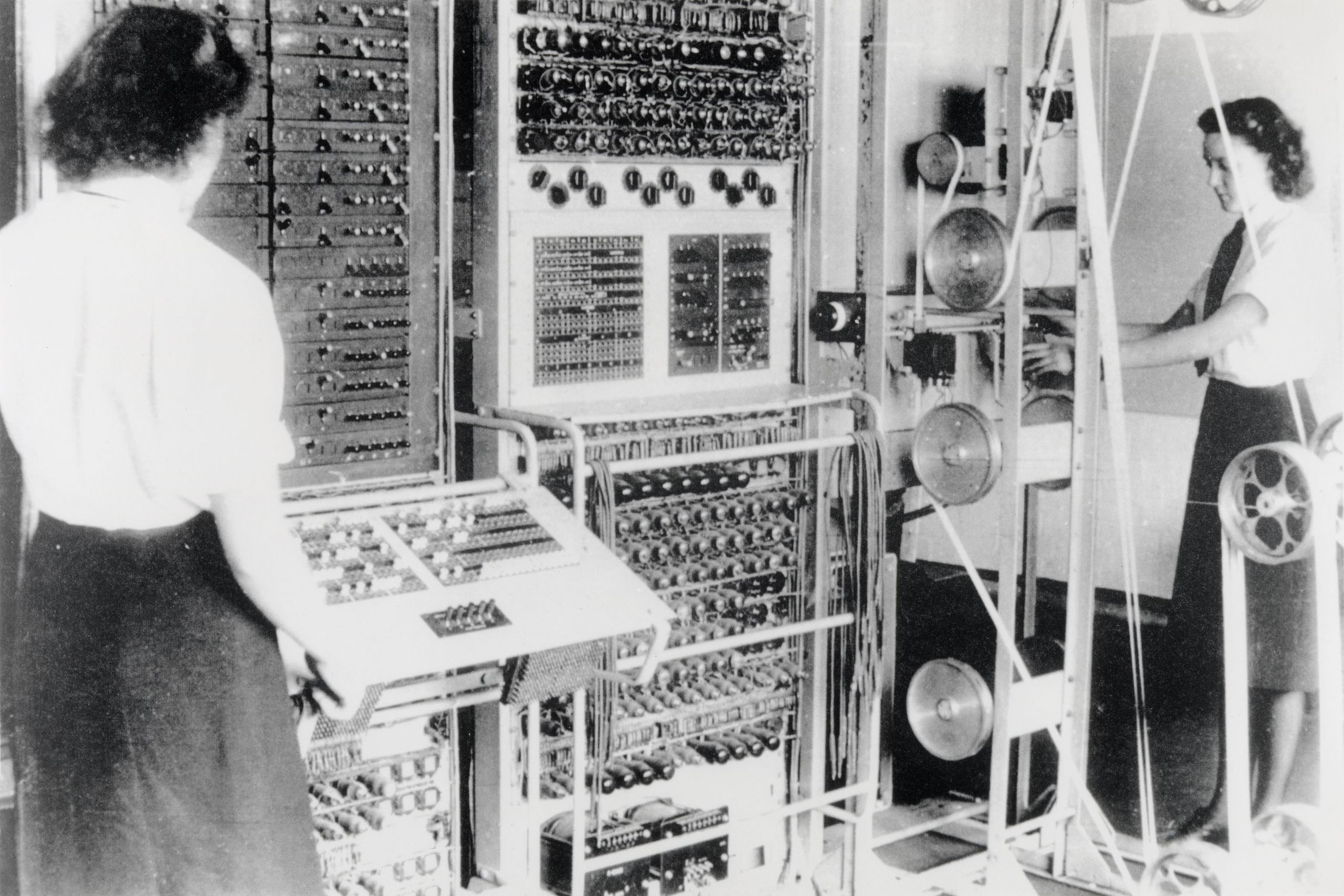
Colossus Mark 2 codebreaking computer, 1943.
Image credit: British National Archives via Wikimedia Commons.
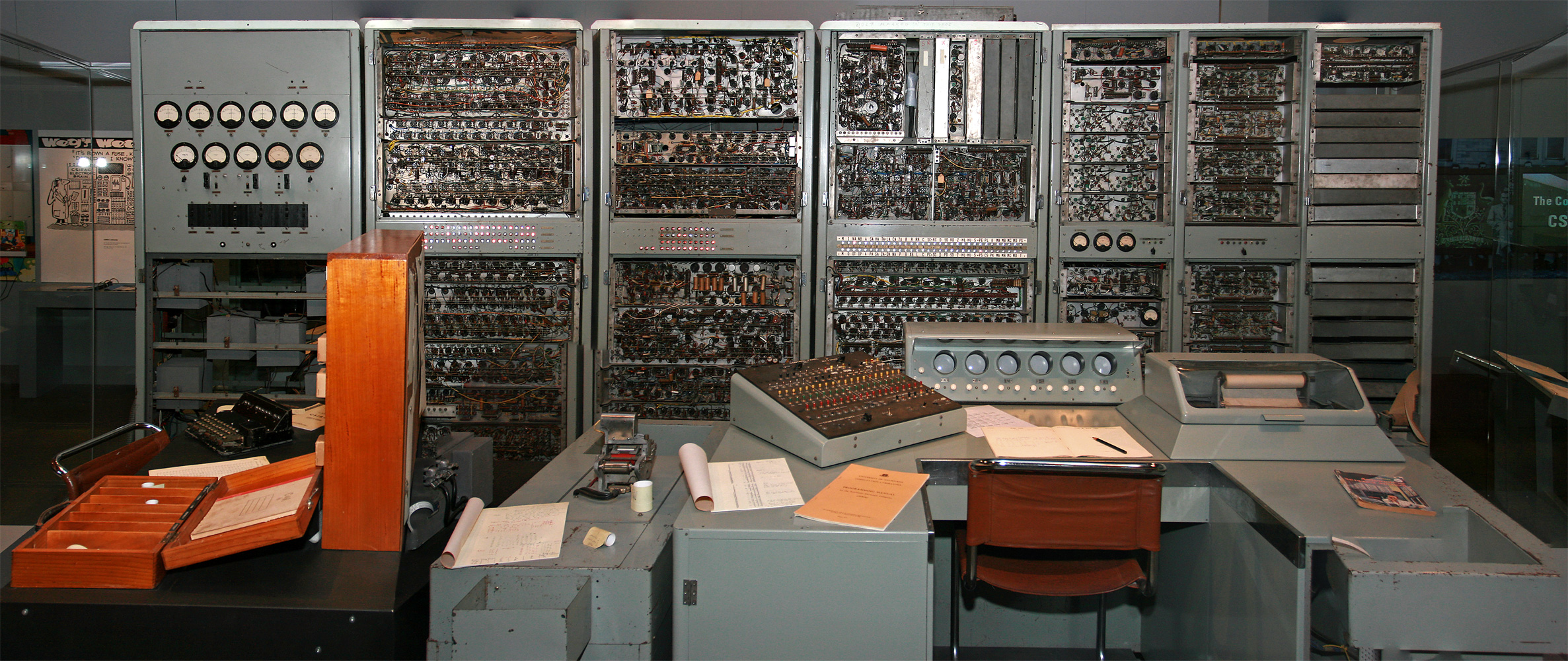
Image credit: John O'Neill via Wikimedia Commons (CC BY-SA 3.0).
In the 1940s and 50s, computers were large, complex machines operated directly from a console. These early systems
- Were used interactively by a single user
- Ran one program at a time (uniprogramming)
- Read data from paper tape, punched cards, or sometimes toggle switches
At this stage, the concept of an operating system barely existed. At most, there might be a library containing code to work the I/O devices, but nothing we'd recognize as an OS today.
The programmer and the computer operator were often the same person, and the computer was used interactively. If something went wrong, the user would have had deep knowledge of the computer and could fix a variety of problems, from coding bugs to hardware failures, themselves.
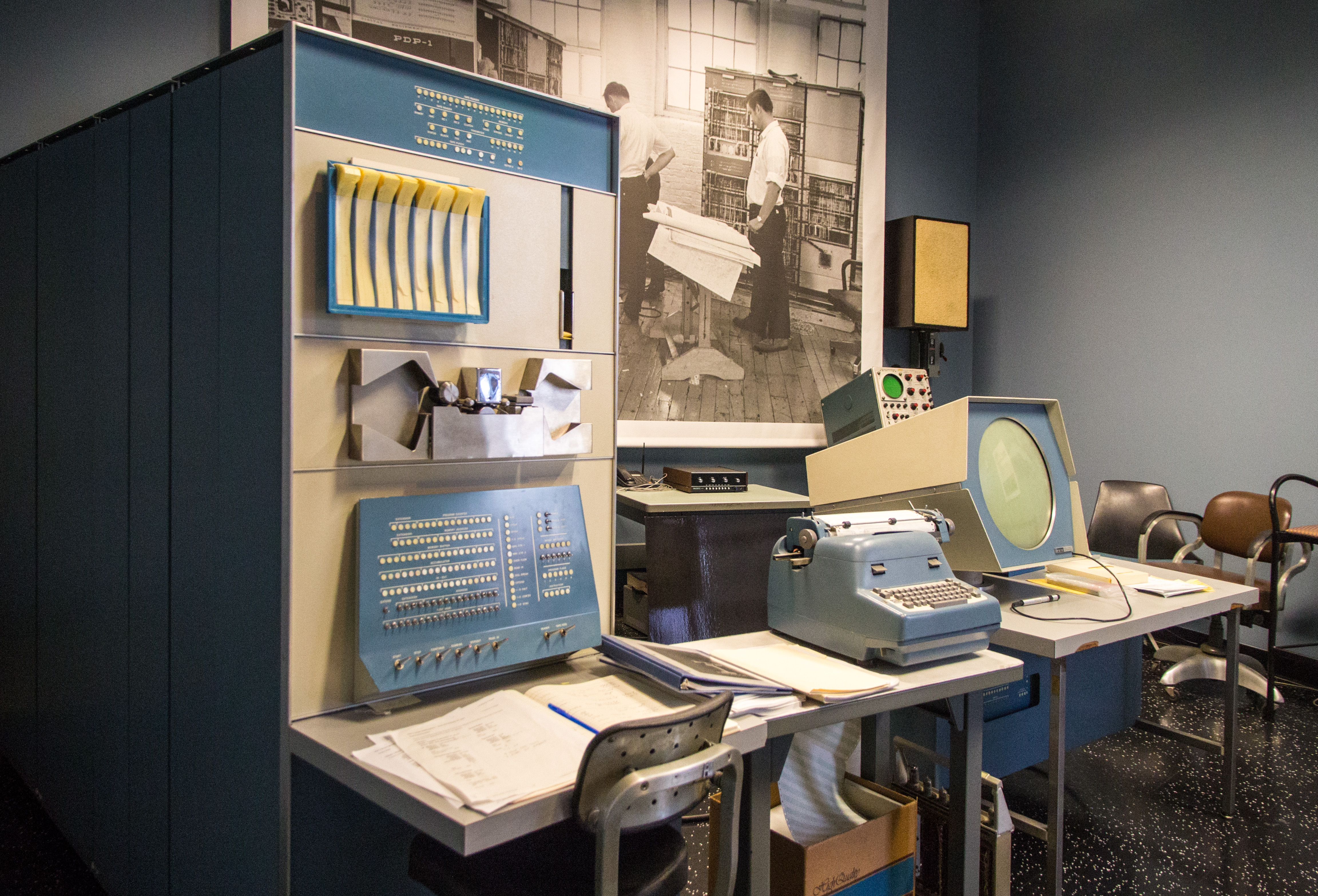
DEC PDP-1 at Mountain View's Computer History Museum.
Image credit: Alexey Komarov via Wikimedia Commons.

What's the thing that looks like an old manual typewriter?
-
That's a teletype machine (also known as a teleprinter or teletypewriter). It's basically an electric typewriter enhanced to send and receive typewritten text over some kind of electrical connection. Originally developed for wired telegraphy in 1887, these devices were adapted for use with early computers, providing a way to connect a computer to a human operator. Rather than your computer session happening on a screen, it happens on paper.

Hay! Is that the ancestor of the “terminal” windows we use today?
-
In essence, yes. In the terminal on a Mac or Linux machine, you can type
ttyand it will return the name of the terminal device you are using (e.g.,/dev/ttys001). The “tty” in both the command and device name stands for “teletype”. Your computer is simulating the latest in 19th century technology! 
Incidentally, the PDP-1 came out a bit later than some of the other computers mentioned above. It was a new kind of lower-cost computer that was more accessible to universities and research labs called a minicomputer. At the time it came out, high-end (mainframe) computers had advanced beyond this stage and so this machine was in some sense a throwback to an earlier era. But on the other hand, it ran Spacewar!, one of the first video games, and so was a harbinger of things to come.
Simple Batch Systems
As computers became more valuable resources, efficient use of the machine became a concern. A problem with the previous approach was that the computer was often idle while it waited for the programmer/operator to tinker with their program or provide inputs. Wasting the computer's time was clearly a waste of money, so the idea of batch processing was born.
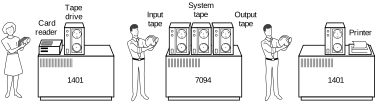
A Batch System.
Image credit: Adapted from an image in Operating System Concepts, by Silberschatz and Galvin
In batch processing, programmers now provided their code and data to an operator, who would then feed the jobs to the computer. The computer would process the jobs one at a time (in the image above, reading and writing a tape), and the operator would collect the output and return it to the programmers.
Key features included
- Indirect user access to the computer
- Programs and input (called "jobs") taken one-at-a-time from a “batch queue”
- A human operator to feed jobs from multiple programmers to the computer
However, now the programmer who wrote the program was no longer the one actually running it, and wouldn't be around to fix anything that went wrong.
For an errant program, it's possible that the program could
- Write over the next program on the tape
- Corrupt the I/O routines in memory causing the next program to run incorrectly
- Send “impossible” movements to the printer or punch, causing a jam or other damage
At this point, the need for a real operating system was becoming clear. The goal of the operating system was to manage and protect the resources of the computer and protect programs from each other.
In particular, the OS had to provide
- Memory protection
- Programs are only allowed access to memory segments assigned to them by the OS
- I/O device protection
- Only the OS can talk directly to I/O devices
The Rise of Protection Levels
To support these ideas, we can think of the computer as having different “protection levels” (sometimes called hierarchical protection domains or protection rings) for different parts of the system. The classic split is into
- User mode: The program runs in this mode, and can't access certain parts of the system.
- Kernel mode: The operating system runs in this mode, and can access all parts of the system.
The key idea here is that this protection system is built into the hardware of the computer itself, with two modes it can be in. It only enters the more secure (kernel) mode in certain specific well-defined situations, user code can't just switch to the more powerful mode whenever it wants.
-
In fact, some systems have used more than two levels of protection. For example, the Intel x86 architecture has four levels of protection, and the IBM System/360 had three.
-
Ah! So exceptions/traps/interrupts are used to switch between these levels.
-
Yes, an exception is a special kind of event that can cause the computer to switch from user mode to kernel mode. This is how the computer can be sure that the kernel is in control when it needs to be.
SPOOLing (Simultaneous Peripheral Operations On-Line) Batch Systems
To further improve resource utilization, SPOOLing systems introduced buffering for input and output:
- Read-ahead input from disk/tape
- Write-behind output to disk/tape
In other words, the computer could now preread data from a tape while the program was running, and write data to a tape while the program was running. This approach allowed the computer to keep working while waiting for I/O operations to complete.
This advancement brought several benefits and challenges:
- Improved performance by allowing programs to keep running while I/O happens in the background
- Introduced the concept of asychrony to operating systems, where multiple things can happen at once
- Used memory that the main program could otherwise use
SPOOLing systems assumed that I/O occurs in relatively small bursts, allowing buffers to work effectively without filling up. However, this wasn't always the case, some programs would need to read a lot of input or write a lot of output at once, and so they'd have to wait for the I/O to complete. And that wasn't efficient.
Multiprogrammed Batch Systems (early 1960s)
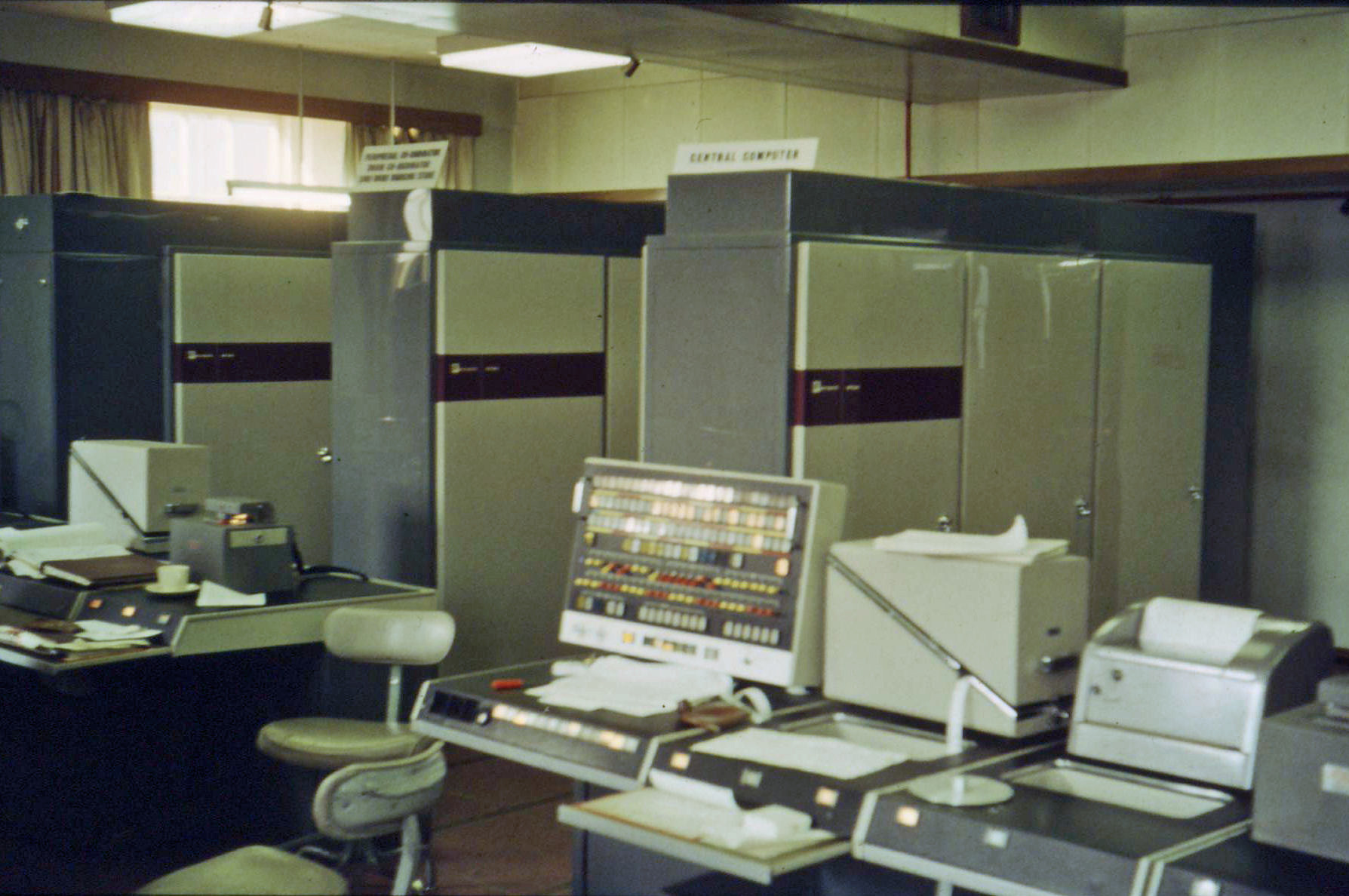
Image credit: Iain MacCallum via Wikimedia Commons.
If a single program couldn't keep (all parts of) the computer busy, why not run multiple programs at once? Instead of just taking one program from the batch queue, take several and run them all at once. When one finishes, take another from the queue, so at all times a few programs are running. Thus the computer is always busy.
Now the operating system needs to
- Run multiple independent programs concurrently
- Switch to another program when the running program waits for I/O
This change represented a huge leap in operating system complexity. Previously, they just had to manage one program at a time, now they had to manage multiple programs at once. For example, it is very easy to manage memory when only one program runs at a time—we can stick the operating system at the top of memory, the single program at the bottom, and let it run. But if there are multiple programs and programs can come and go, where you put programs and how much memory you let them have becomes a much more complex problem.
It's important to realize that the only reason for running more than one program at once in these early systems was to keep the computer busy. The only reason to switch from running the code of one program to running the code of another was because the first program was waiting for I/O.
-
This is a very different reason than we have for running multiple programs at once today.
-
Examples of this kind of system include the Burroughs MCP (1961), Atlas Supervisor (1962), IBM's OS/360 (1964), and the CDC 6600's SCOPE (1966). For example, SCOPE (Supervisor for Control of Program Execution) could run up to eight programs at once!

Wow! Eight whole programs! I bet that seemed amazing!
-
Meh.
Time-Sharing Systems (1960s)
In multiprogrammed systems, the CPU only switched between programs when it had to wait for I/O. But what if we switched between programs all the time? If we switch between them quickly enough, it'll feel like they're all running at once. That's the idea behind time-sharing systems.
Suddenly, interactive use of a computer became possible again. Instead of submitting a job to the computer and waiting for the results, a user could type in a command and get a response back almost immediately. This was a huge leap forward in usability.
One challenge of time-sharing systems was physically connecting multiple users to the same computer. Back when just one person operated the computer, there would either be a keyboard and screen connected to and driven by the computer itself, or there would be a teletype machine connected to the computer (see the PDP-1 picture above). But with time-sharing systems, we need to connect multiple people to the computer at once. This was a challenge because it's one thing for the computer to drive a single (expensive) graphical screen, and quite another to drive multiple screens at once. The easiest thing to connect was a teletype machine, but these were slow, noisy and not very interactive. Eventually, a solution was found, as we'll see in a bit.
-
Systems like CTSS (Compatible Time-Sharing System) at MIT and Multics were pioneers in this field, setting the stage for modern multiuser operating systems. The Atlas system was also adapted to run as a time-sharing system.
The Rise of Virtual Memory (1960s)
With the advent of time-sharing systems, computing moved from running just a few programs at once to running many programs at once. That meant more memory needed for programs, but memory was expensive. The solution was virtual memory, where the operating system is asked to perpetuate the illusion that each program has all the memory it needs, even though perhaps it actually doesn't. Like playing the shell game, the operating system moves memory around; wherever the program isn't looking it can swap out the contents of that memory to disk and use the memory for something else.
We'll discuss virtual memory in more detail in a later lesson.
Complete Machine Virtualization
Also in the late 1960s, IBM developed the System/360 series of mainframe computers. These machines were designed to be able to be completely virtualized, meaning that a user could think they were the only user of the machine, running their own operating system, when in fact they were sharing the machine with many other users. The first operating system to allow this was CP-50, a research prototype, which became CP-67, a production system.
-
It feels like operating systems are always fake out the programs they run, from pretending they have tons of memory to telling other whole operating systems that sure, they're the only one home on the computer.
-
It turns out that these tricks are often useful in practice, although there can be some gotchas, too.
The Rise of Networked Systems (1970s)
People had been sending data from place to place electronically since before computers existed, but in the 1970s, computers started to be connected to each other in networks. This allowed people to share data and programs, and to communicate with each other in new ways. This was the beginning of the internet.
One way to view the addition of a network connection is as just another kind of I/O device. But when the device at the other end of the connection isn't something dumb like a teletype or printer, but a whole other, equally powerful computer, new possibilities and complexities emerge.
Conclusion
From the 1950s through to the early 1970s, many foundational challenges were faced and decisions made that still influence the design of operating systems today. The need to manage multiple programs at once, to protect programs from each other, to manage memory efficiently, and to provide a way for users to interact with the computer are all key facets of modern operating systems.
-
But we've only got up to the 1970s! A bunch of this stuff happened before my parents were born!
-
Well, quantum physics was first proposed in the 1920s, but we still teach it today. There can be key ideas which stand the test of time. But in the next part of the lesson we'll look at some more recent developments in operating systems while seeing that history repeats itself.
(When logged in, completion status appears here.)