Homework 8: Pokemon or Tech Startup? Let's Hash it Out!

I have an announcement to make! I recently built an app for a hackathon, and this summer I'm going to turn it into a startup!

That's amazing news, Dog.
-
All I need is a catchy name to make it go viral. It's a math app, so I'm thinking..."Plusle".

...Hate to break it to ya, but "Plusle" is the name of a Pokemon.
-
Seriously???
-
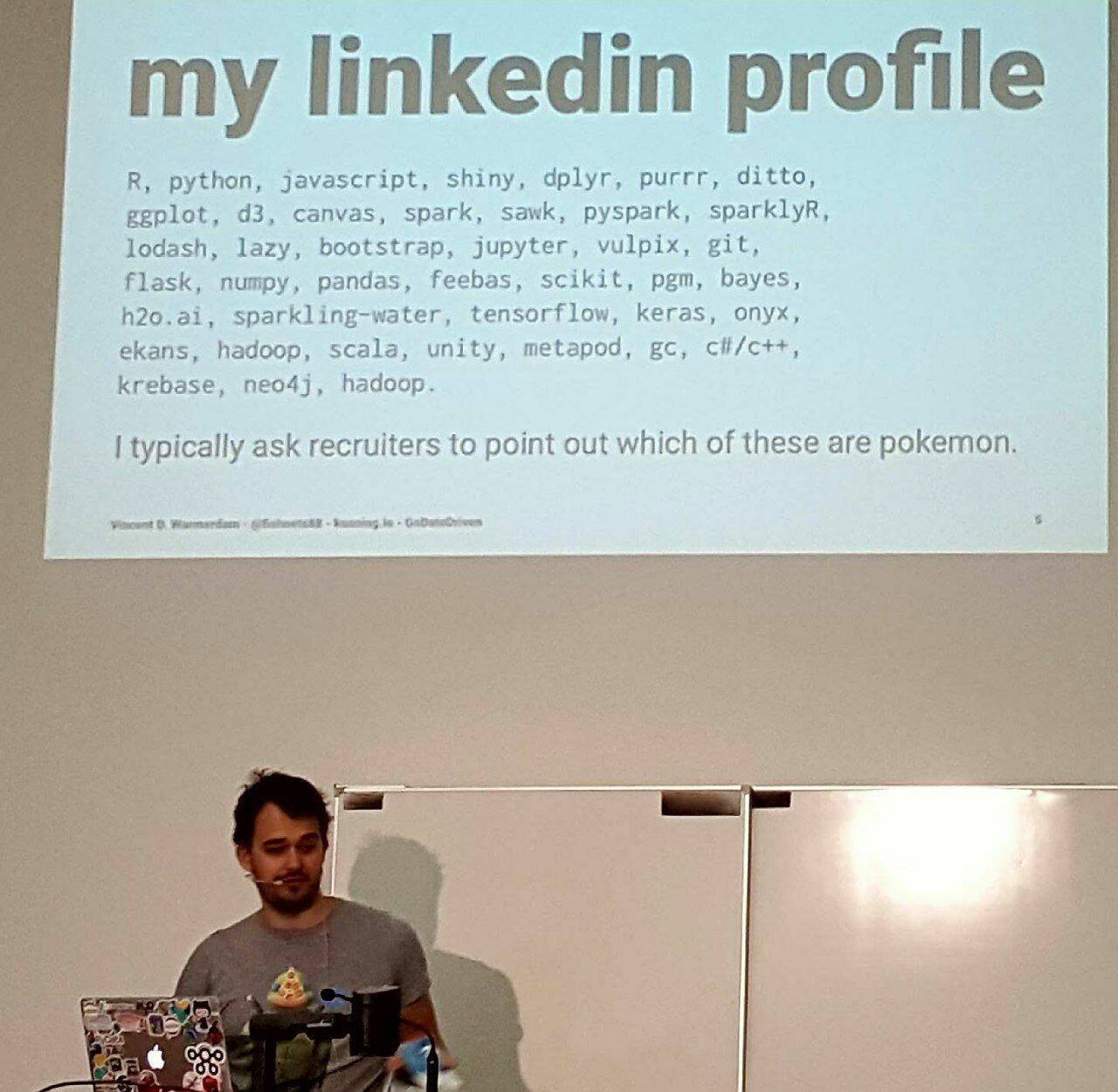
You know, this reminds me of an image that went viral back when I was a young calf...
-
Well, I could look up a list of Pokemon to avoid picking one of those names. But I'd really rather not come up with a name that sounds like a Pokemon (what if Nintendo coincidentally takes it later)?

You know, I bet AI could help you with that.
-
Indeed it can. Here's Gemini:
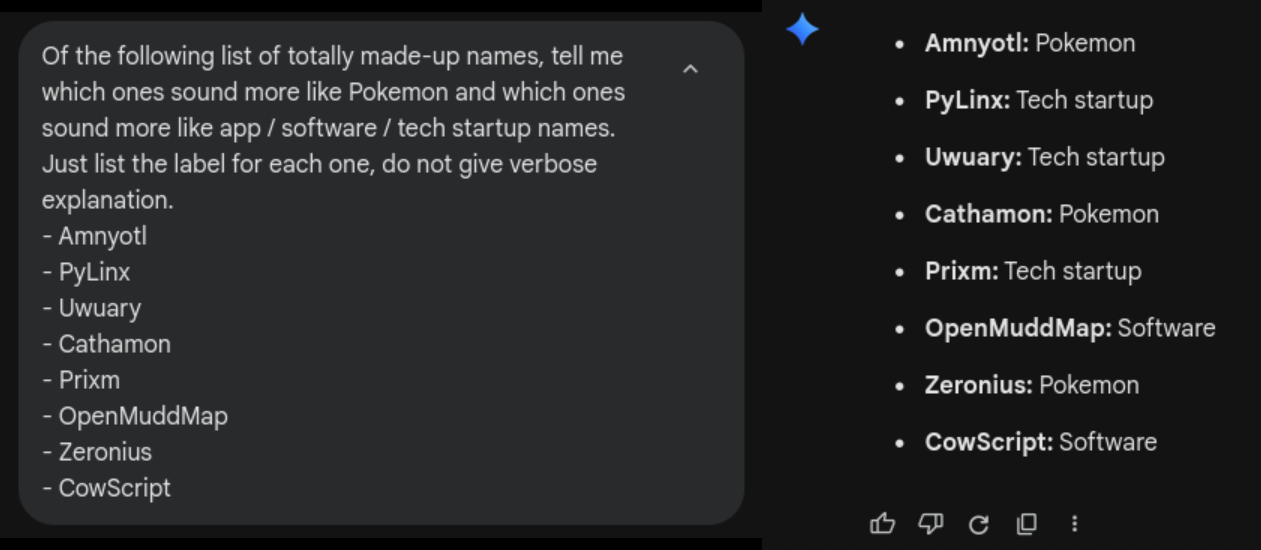

Using Gemini for this feels like overkill. I wonder if we could make our own, smaller AI just for this task.
-
Funny you say that...
In this eighth and final homework, you'll explore how hash tables can be used to implement a simple machine learning algorithm that can classify a never-before-seen text as either "sounds more like a Pokemon" or "sounds more like software"! Specifically, you will implement your own hash table class to represent an associative data structure (like a Python dict). In doing this, you'll get to practice:
- Analyzing hash functions and choosing the best one for the task.
- Implementing a hash table using separate chaining.
Getting Started
This assignment is paired, and your repository belongs to your pair. We have already made it—there is nothing to accept and no name to agree on. Your pairing (the same pair as Homework 7) came from the pairing board, and the repository is named after your group.
- Your group is
group (members ) - Your repository for Homework 8 is
repo - You can see it on the web at https://github.com/hmc-cs70-fall2026/
Both of you have push access to that one repository, so you are working in the same place rather than each having a copy to reconcile later.

The link says the page doesn't exist!
-
That usually means you are not in the CS 70 GitHub organization yet, rather than that your repository is missing. GitHub hides what you cannot see rather than admitting it is there.
-
So "not found" and "not allowed" look the same on purpose.
-
Exactly—so that nobody can go fishing for the names of private repositories. On the server,
cs70-fix-accesswill check your membership and sort most of this out for you.
Clone your repository on the CS 70 server to get started:
git clone https://github.com/hmc-cs70-fall2026/repo .git
- Phase 1: Exploring the Interactive Demo
- Phase 2:
HashMultiset<T>Interface and Stubs - Phase 3: Evaluating Hash Functions
- Phase 4: Constructor, Destructor,
swap,size, andbuckets - Phase 5:
insert,count,contains, andprintToStream - Phase 6: Rehashing
- Phase 7:
HashMultiset<T>Performance Statistics - Phase 8: Use Your
HashMultiset<T>for Machine Learning - Phase 9: More Fun with Hash Tables (Optional)
- Written Questions
- Check Your Submission
Resources
Grading
This assignment is graded in these parts:
- the written questions;
- your code: the autograder (it builds without warnings, passes
cpplint, has the right files, passes our tests, and your own tests catch our deliberately broken versions), and a code review of its clarity and style by the course staff; - your planning images (for completeness, not correctness);
- your justification of your hash-function choice;
- and, if you take one on, the optional bonus work (bonus points).
Each question shows its points beside it, on its own page, so there's only one place to look. Your grade for the assignment is the percentage of its points you earned, which is what the gradebook shows.
(When logged in, completion status appears here.)